Your First Huss Valley Session
A practical first-session checklist covering the lobby, role awareness, useful observations and what to practise before making a purchase.
In this guide Jump to a section
Make your first session about understanding the match and controlling one action reliably. You will get more useful information from a short, focused review than from changing your route, equipment and settings after every catch.
This guide covers Huss Valley Official's experience. Lobby details below are reported by MMORocks; the crossing-and-conversion description comes from Pro Game Guides. The first-edition wiki has reviewed those sources without conducting an in-game test.
Before the match
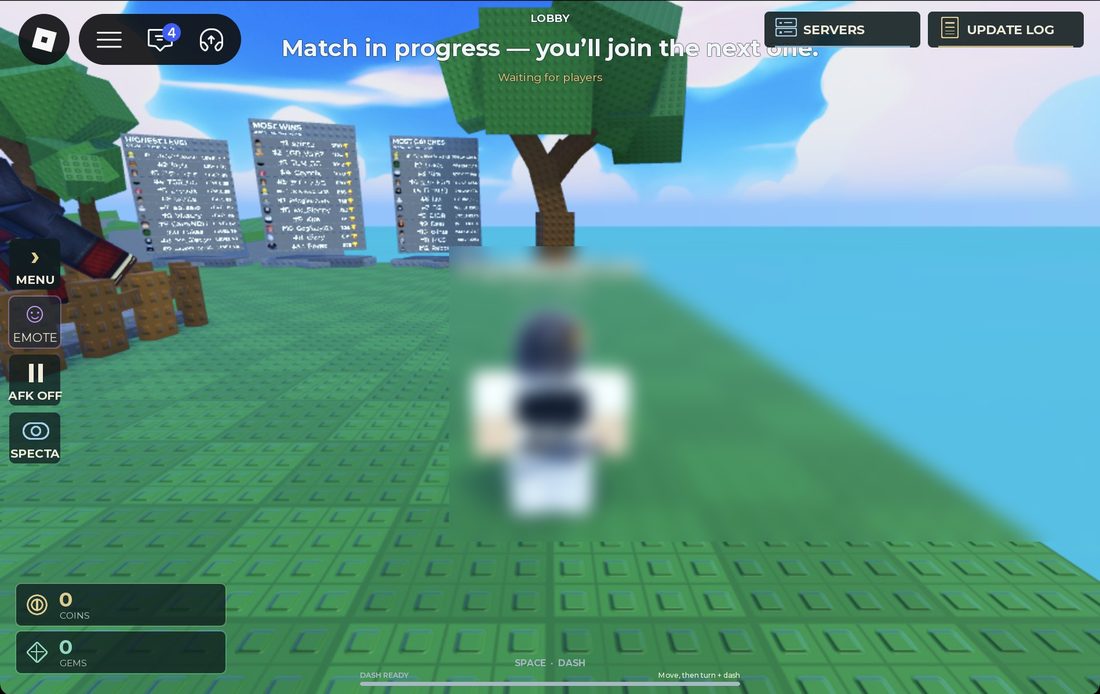
MMORocks source screenshot, reported checked October 3, 2026. Match-in-progress, AFK and Spectate are visible; this wiki inspected the image without joining that session.
Read the screenshot in this order: top message → left-side status buttons → bottom control hint. A visible wait message answers a different question from an input hint; pressing more movement keys will not explain why the game says you are waiting for the next match.
1. Confirm the game
Use the developer and numeric game URL. If the tutorial you were following shows an unfamiliar task journal, code menu or set of movement keys, check game identity first.
2. Read the waiting message
MMORocks reports that joining during a match can leave you waiting for the next one. Its source also identifies Spectate and an AFK toggle. If you are not entering a round, read the visible status and check whether you have enabled AFK before assuming something is broken.
If Spectate is available, use the wait to answer one question: where does a Runner lose room to move? Watch a single player long enough to see the decision before the catch. You are collecting an example, not trying to memorise every movement.
3. Pick one input to learn
Read controls and select a basic action you can recognise when it happens. Avoid testing several new key combinations in the same attempt. Otherwise, an unexpected result will be difficult to explain.
4. Read a map choice before choosing a route
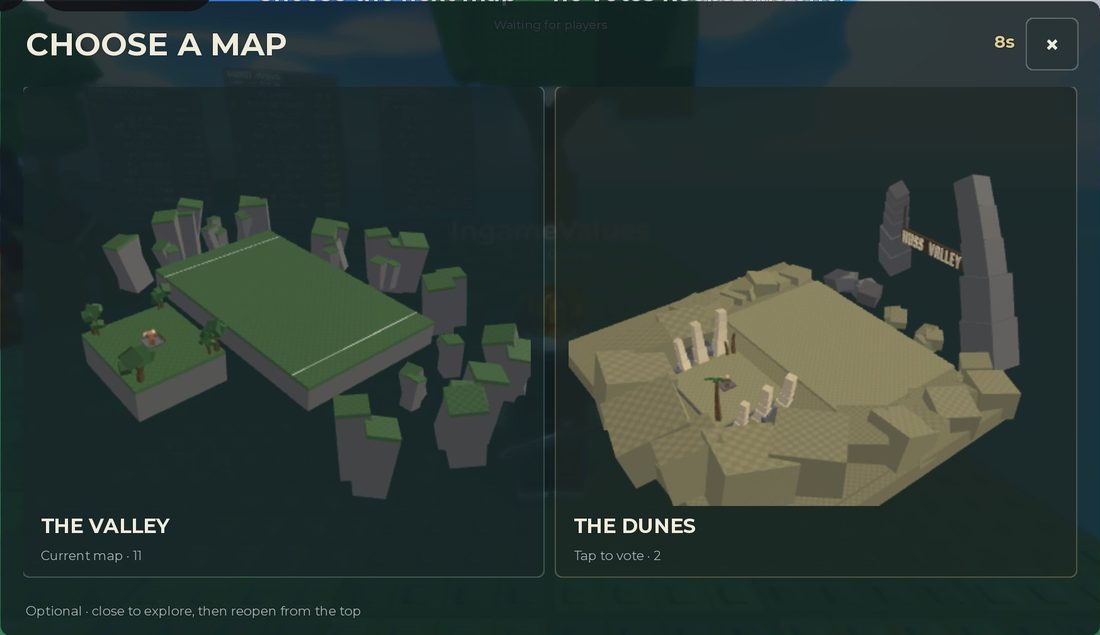
Dated source screenshot of the map-vote panel. It shows The Valley and The Dunes; it does not establish today's full map rotation.
If a map-choice screen appears in your session, read the selected name before following a route demonstration. A video recorded in one layout does not establish safe positions in another. The vote counts and timer here belong to the source capture, so use your current screen for the state of your match.
When the round starts
The reported match loop has Runners attempting crossings and Chasers catching players, with caught players changing the balance of later play. Use the round's current prompts for exact objectives and transitions; this wiki has not measured the live win trigger or rescue timing.
Pause your purchasing plans long enough to establish:
- Which role am I playing now?
- What does the current objective ask me to do?
- Where is the space I intend to move into?
- Which input will I use if that space becomes unavailable?
These questions matter because the same movement can be sensible for one role and unhelpful for the other. Read the Runner or Chaser page once you know which decision you want to practise.
A useful first-match goal
Choose one of these goals:
| Goal | What to pay attention to | What to write down afterwards |
|---|---|---|
| Understand the interface | Role and round messages | The prompt that explained what happened |
| Improve one action | Input, starting movement and visible result | Whether the action behaved as expected |
| Improve observation | The player and space you were tracking | The moment you lost useful information |
You do not need a win for this attempt to teach you something. Keep the goal narrow enough that you can judge it after a single round.
Review a catch or a failed chase
Look at the decision immediately before the failure, not only the final contact. Ask whether you saw the problem early enough and whether your intended input occurred.
- You did not see the approach: work on camera awareness.
- You saw it but your action did not occur: check the input and current conditions.
- The action occurred but led into occupied space: review your destination choice.
- You changed several things and cannot tell what helped: simplify the next attempt.
These are review categories, not proven explanations for every failure. A recording helps you check which one fits.
Before your first purchase
Read the current shop card and confirm what unlocks, which role can use it and whether it has charges. Then compare abilities, consumables and spending decisions.
A useful first purchase has a job you can describe. If you cannot say when you would use it, spend another match learning that situation before paying for it.
Watch the chase. Find your next move.
Use a creator's video with the written guide and one question to check in your next session. Compare the experience and current controls before following an input.
HUSS VALLEY GUIDE! (Pro Tips & Tricks) ROBLOX
By ItzVexo · Published
A community introduction selected by the reference wiki. Use it alongside the first-session checklist, then compare its interface with your own game.
- Before following a control, match the developer and experience URL.
- Pause at a role or round prompt and write down the objective it gives.
- Pick one action to practise; record its starting state, input and visible result.
Selection & review notes
Selected from the linked reference article. YouTube metadata and embed availability checked October 12, 2026; the footage and its gameplay claims have not been independently reviewed. The prompts are our viewing checklist, not verified video chapters.
Reference article that selected this videoMetadata checked . Video rights belong to the creator.
Click “Load video” to load YouTube's player; videos do not autoplay. If a player is unavailable, use “Open on YouTube”. Titles and availability were checked; gameplay claims still need verification.
Sources & image credits
Reviewed 12 Oct 2026. A source review is not an in-game test. Dated screenshots and practice suggestions are identified in the guide.
Source reports an October 3 game check. Five source screenshots were downloaded and visually inspected by this project: menu, currency counters, Items shop, update log and Runner Abilities cards. Image review on October 12 does not verify the live shop. Values and labels are dated screenshot observations; no source article prose is copied.
Source reports an October 3 game check and an October 4 article update. Lobby HUD and map-vote screenshots were inspected here October 12. Used for dated interface observations; source testing is not testing by this project, and the screenshots do not establish the current map rotation.
Article dated October 6. Used for reported role objectives and PC inputs. Its Alt instant-stop assertion conflicts with the cursor label in MMORocks' screenshot; some item classifications also conflict. No gameplay was performed by this project.
Artwork reused at the user's request. The source credits game art to Huss Valley Official / Roblox. Original image URLs and credits are preserved; no open licence is claimed.
Identity confirmed against the public games API. The public description is RUN!!; it is not a mechanics manual.
Image credits (4)
Source lobby screenshot: the top message says you will join the next match; the bottom hint reads SPACE · DASH and Move, then turn + dash. MMORocks reports checking the game October 3, 2026; image inspected here October 12.
Original image source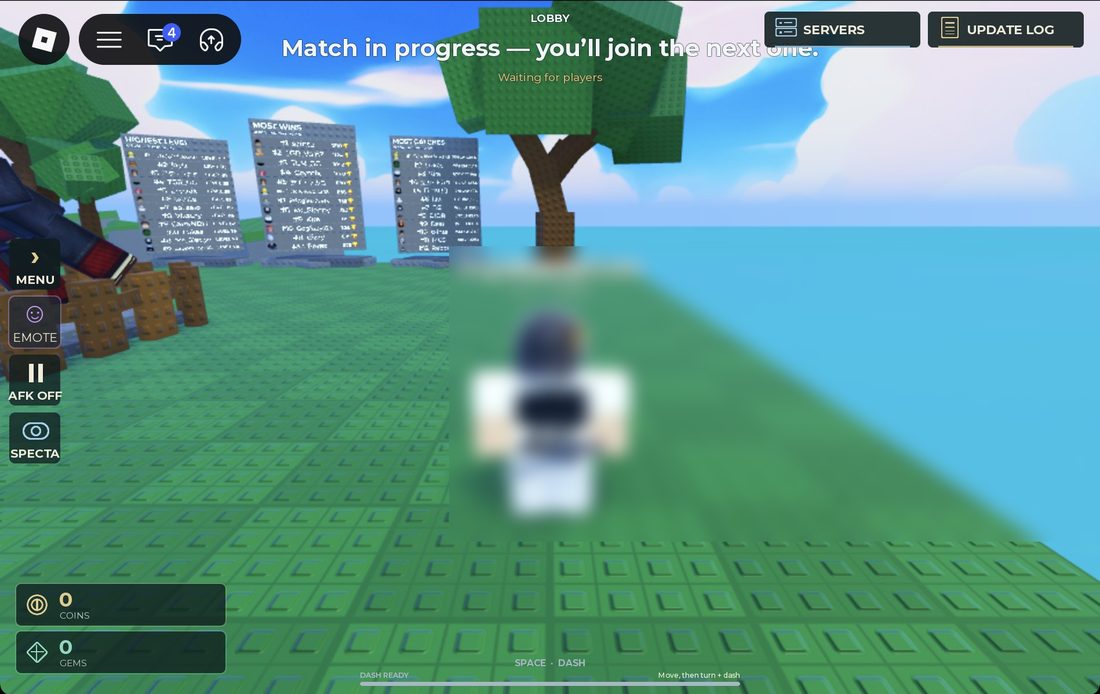
Reused at the user’s request for source-backed commentary. Rights remain with the original owners; attribution is not a licence claim.
Source map-vote screenshot showing The Valley and The Dunes. Labels and votes belong to that capture; this is not a current map rotation or route measurement. MMORocks reports checking the game October 3, 2026; image inspected here October 12.
Original image source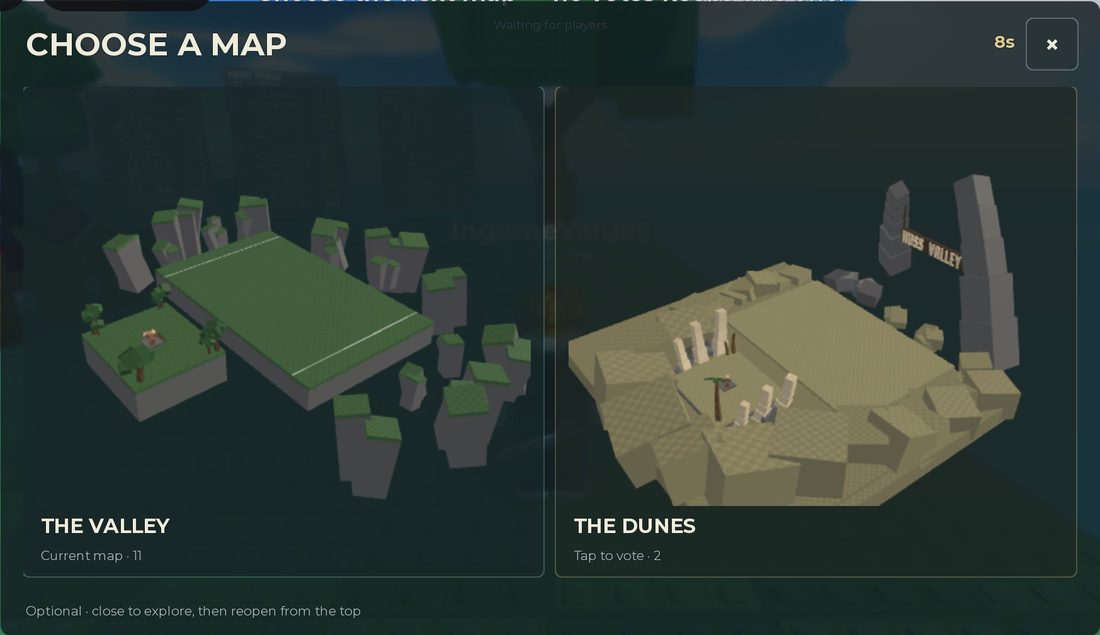
Reused at the user’s request for source-backed commentary. Rights remain with the original owners; attribution is not a licence claim.
Game icon artwork. Use the developer name and Roblox URL to confirm the experience.
Original image source
Reused at the user's request. Rights remain with the original owner; no open licence is asserted.
MMORocks source screenshot, reported checked October 3, 2026. The bottom label reads ALT · CURSOR; this project did not capture it in-game.
Original image source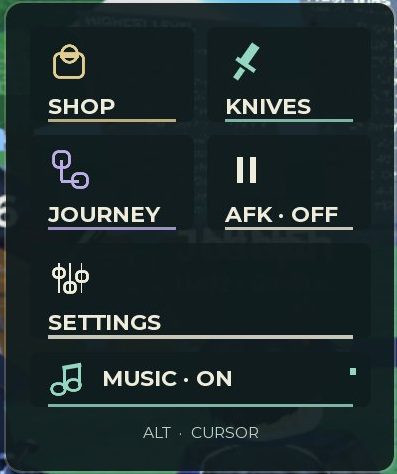
Reused at the user's request for source-backed commentary. Rights remain with the original owners; attribution is not a licence claim.
Found something different in your game? Send a correction with the experience URL, date and a screenshot.