
Huss Valley Spending Guide
Separate permanent unlocks, item charges and XP passes, set a Gem goal and compare actual spending without invented farming rates.
In this guide Jump to a section
Keep the next purchase tied to a goal: a permanent unlock, an item for a specific situation or an XP-related benefit. These purchases solve different problems, so a single “best value” label is rarely enough.
This page uses dated shop and pass reports. Check the current listing before purchasing; this wiki has not measured live reward rates or tested how XP bonuses combine.
Separate the three spending decisions
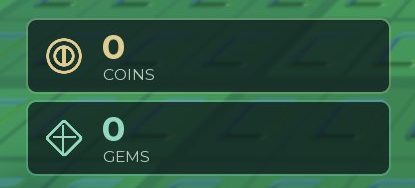
MMORocks source HUD screenshot. The Coins and Gems balances are separately labelled; both happen to show zero for the source player.
| Purchase | What you are evaluating | Evidence to check |
|---|---|---|
| Permanent ability | Whether its effect suits a recurring problem | Current card, role, limitations and equip state |
| Item pack | Whether charges help a situation you can recognise | Pack size, price, activation and charge use |
| XP-related pass | Whether the advertised XP benefit matters to your goal | Current official description, price and any stated restrictions |
Keep each payment tied to the currency printed on the card. The dated screenshots below show Gem prices for the visible ability unlocks and Coin prices for the visible item packs, with separate Robux payment options. They do not establish that Gems can pay for those packs. This distinction is more useful than applying a generic “save all currency” rule.
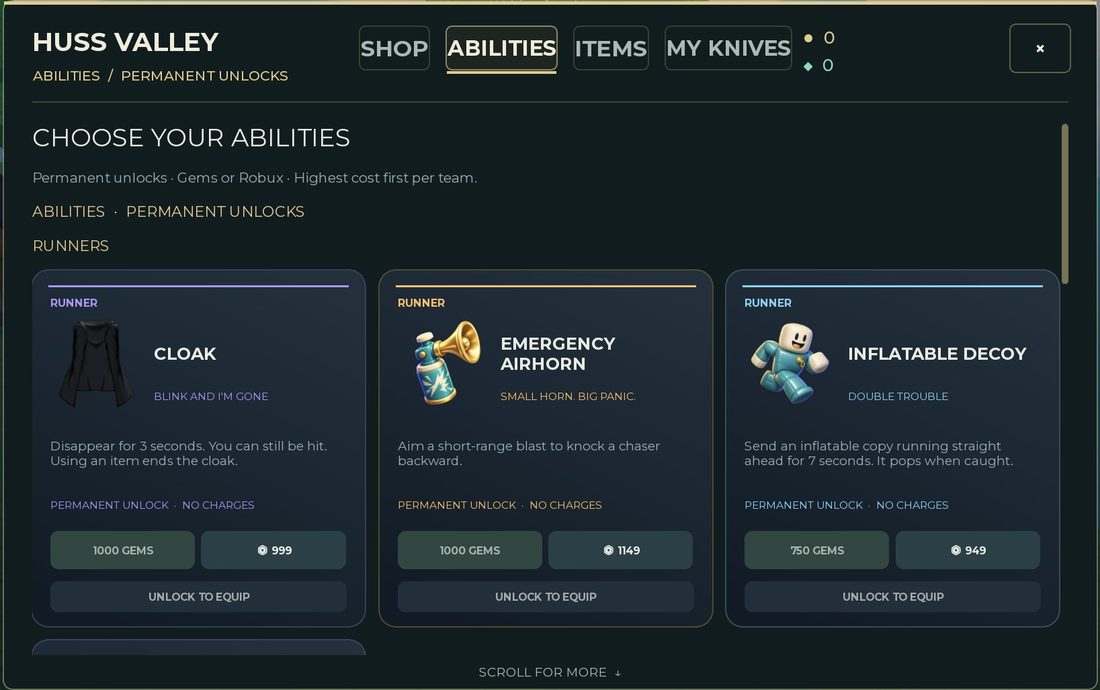
Source screenshot of permanent Runner unlocks. Check the tab, role and payment label together; these prices belong to the dated capture.
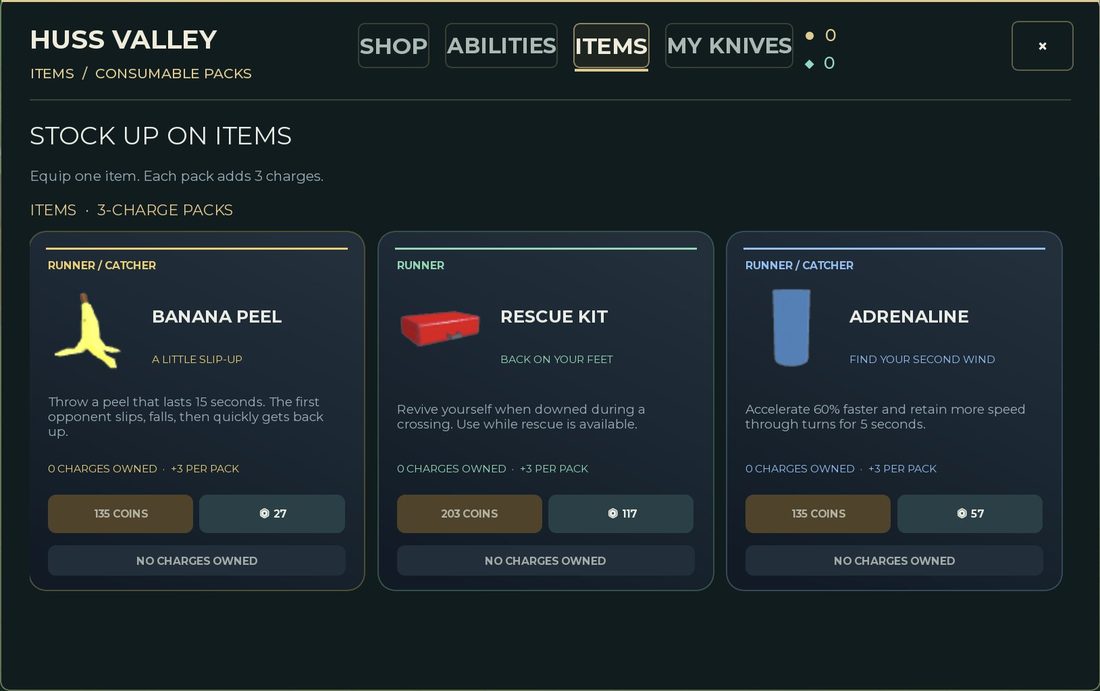
Source screenshot of the Items tab. A recurring pack purchase is a different expense from an ability unlock.
When comparing the two screens, decide what you are buying before comparing the price: a permanent unlock changes what you can equip; a pack adds a finite number of uses. A smaller displayed number is not automatically a better purchase.
Set a saving target you can verify
Choose one current unlock you understand. Write down its displayed price and your current balance. The difference is your remaining saving target.
That calculation tells you how much currency is missing. It does not tell you how many matches it will take. Rewards can depend on conditions this edition has not measured, so a fixed “unlock it in ten minutes” claim would be unsupported.
If you want an estimate for your own play, log the balance before and after a session and note purchases separately. A few sessions can help you understand your own results without turning them into a universal rate.
Review item spending separately
An item pack can be useful even while you save for an ability. Give it a budget and a purpose:
- Define the situation you want to improve.
- Choose one item with a relevant described effect.
- Record the current pack price and size.
- Review the actual uses before buying more.
Changing the item every match makes comparison harder. See consumables for a charge-review checklist.
XP passes are not a currency-rate claim
The reviewed pass report describes X2 EXP as a double-EXP offer and VIP as an offer including a 25% XP bonus plus presentation perks. These descriptions concern XP. They do not establish doubled Coins, Gems or ability unlock speed.
Before paying for an XP benefit, ask whether your current goal is actually an XP goal. If you are saving Gems for an ability, an XP label alone is not evidence that the pass speeds up that purchase.
Do not assume how multiple bonuses stack. A combined result needs a clear current description or a controlled test that isolates the relevant conditions.
Compare the current listing with an old guide
When a price or benefit differs:
- Keep the current purchase screen as the immediate decision reference.
- Record the full entry, not only its name.
- Distinguish “not on sale” from “benefits not described.”
- Avoid completing a purchase merely to resolve uncertainty about an undocumented benefit.
You can leave a purchase undecided and continue learning the game. That is a useful outcome when the information is incomplete.
A small spending worksheet
| Question | Your note |
|---|---|
| What problem am I trying to change? | A specific recurring situation |
| Which purchase could help? | A current named entry |
| What does the live card promise? | The visible effect or benefit |
| What am I paying? | Amount and currency |
| What would make it useful to me? | An observation to check in play |
Use the ability reference for visible Runner cards and code status for reward claims. A reported code or pass benefit should never substitute for checking which experience you are playing.
Sources & image credits
Reviewed 12 Oct 2026. A source review is not an in-game test. Dated screenshots and practice suggestions are identified in the guide.
Dated pass descriptions used for XP-versus-currency purchasing advice; current sale status and XP stacking have not been independently tested.
Source reports an October 3 game check. Five source screenshots were downloaded and visually inspected by this project: menu, currency counters, Items shop, update log and Runner Abilities cards. Image review on October 12 does not verify the live shop. Values and labels are dated screenshot observations; no source article prose is copied.
Source reports an October 3 game check and an October 4 article update. Lobby HUD and map-vote screenshots were inspected here October 12. Used for dated interface observations; source testing is not testing by this project, and the screenshots do not establish the current map rotation.
Artwork reused at the user's request. The source credits game art to Huss Valley Official / Roblox. Original image URLs and credits are preserved; no open licence is claimed.
Image credits (4)
MMORocks source screenshot, reported checked October 3, 2026. Values are a dated reference; compare your current shop before purchasing.
Original image source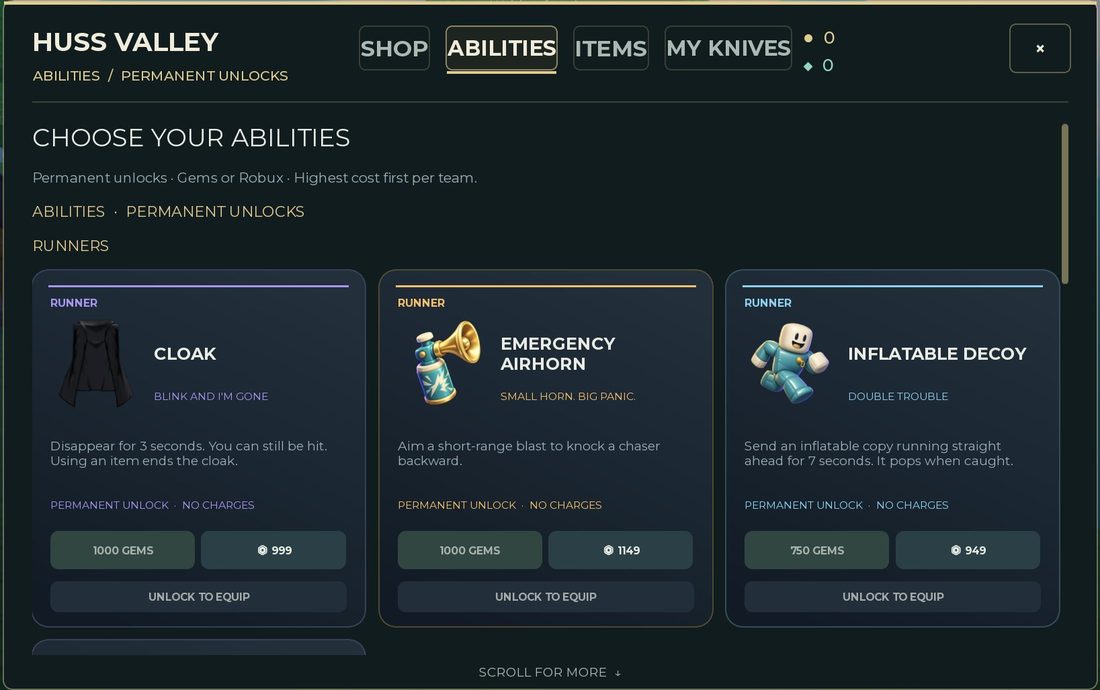
Reused at the user's request for source-backed commentary. Rights remain with the original owners; attribution is not a licence claim.
Two separately labelled counters: COINS and GEMS. The zero values are the source player’s balance, not a recommended budget. MMORocks reports checking the game October 3, 2026; image inspected here October 12.
Original image source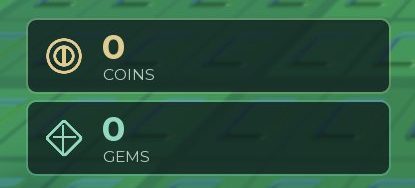
Reused at the user’s request for source-backed commentary. Rights remain with the original owners; attribution is not a licence claim.
Dated Items shop screenshot: header says Equip one item. Each pack adds 3 charges. The three visible cards carry role labels and Coin prices. MMORocks reports checking the game October 3, 2026; image inspected here October 12.
Original image source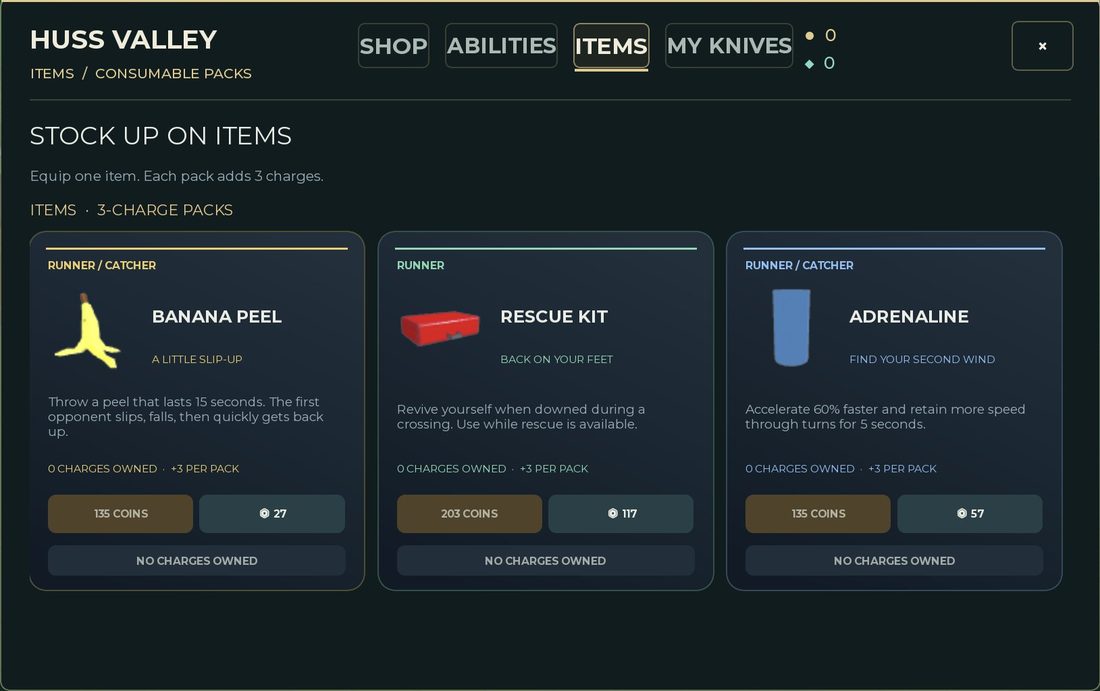
Reused at the user’s request for source-backed commentary. Rights remain with the original owners; attribution is not a licence claim.
Game icon artwork. Use the developer name and Roblox URL to confirm the experience.
Original image source
Reused at the user's request. Rights remain with the original owner; no open licence is asserted.
Found something different in your game? Send a correction with the experience URL, date and a screenshot.