Which Huss Valley Are You Playing?
Identify Huss Valley Official's Roblox game and avoid mixing its controls and purchases with Ve3's Huss Valley or Escape Huss Valley.
In this guide Jump to a section
For this wiki, the target is Huss Valley by Huss Valley Official, at Roblox place 107535308163741. Check that identity before using a control sheet, a shop comparison or a code list.
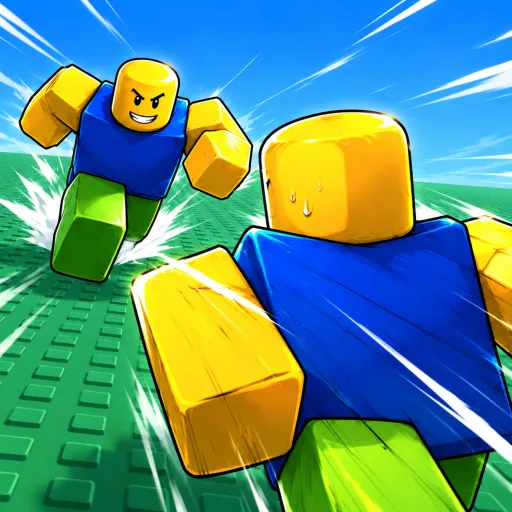
Artwork is a visual reference. The developer name and numeric game link are the stronger identity checks.
Three experiences you may encounter
| Experience | Roblox place | How to use it here |
|---|---|---|
| Huss Valley, by Huss Valley Official | 107535308163741 | The experience covered by this wiki |
| Ve3's separately listed Huss Valley | 112568283214131 | Its published keys and codes are for a different place |
| Escape Huss Valley | 125215626986308 | Treat its guides and rewards as a separate game |
Target game · Ve3 listing · Escape listing
Check a tutorial before following it
- Open the game's Roblox listing rather than relying on a search-result title.
- Compare the developer with the tutorial's description or linked experience.
- Compare the number after
/games/in the URL. - Check whether the tutorial shows a dated version, event or update.
If a video has no experience link, a visible developer name or another reliable identity clue, keep it as a lead to investigate. Do not assume that matching words in its title settle the question.
What a mismatch looks like
A tutorial can be useful for the game it covers while being unusable in yours. Different menu names, control prompts or shop categories are reasons to recheck identity, not reasons to force the instructions to fit.
Avoid blending partial instructions from different places. In particular, a code on one official listing does not prove that another experience accepts it.
If a guide still does not match
Save the official game URL and a screenshot of the relevant menu or prompt. Include the device and the date. Those details make it possible to distinguish a different game from a changed interface.
Once the identity matches, continue to the first-session guide or PC controls. For reward questions, use code status, which keeps the distinction between a published code and a successful redemption.
Sources & image credits
Reviewed 11 Oct 2026. A source review is not an in-game test. Dated screenshots and practice suggestions are identified in the guide.
Separate experience; its code list does not establish codes for the target game.
Artwork reused at the user's request. The source credits game art to Huss Valley Official / Roblox. Original image URLs and credits are preserved; no open licence is claimed.
Creator Huss Valley Official; rootPlaceId 107535308163741; maxPlayers 30; createVipServersAllowed false at review. Dynamic counts are omitted from evergreen articles.
Identity confirmed against the public games API. The public description is RUN!!; it is not a mechanics manual.
Separate place. Its published codes and Vault/Slide/Journal inputs must not be transferred to Huss Valley Official's experience.
Image credits (1)
Game icon artwork. Use the developer name and Roblox URL to confirm the experience.
Original image source
Reused at the user's request. Rights remain with the original owner; no open licence is asserted.
Found something different in your game? Send a correction with the experience URL, date and a screenshot.