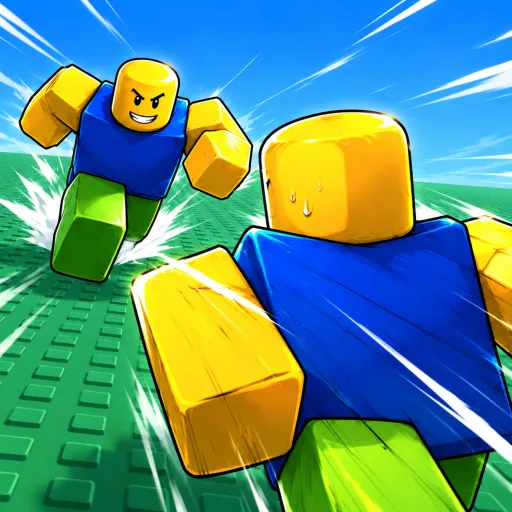
Huss Valley Runner Practice
Work through route decisions, direction changes, crowd awareness and a simple replay review without relying on unmeasured timing rules.
In this guide Jump to a section
Leave yourself a second route.
- 1Look at the approach
- 2Choose space + an alternative
- 3Review where the move ends
Before choosing a dodge, choose the space you want to reach. A movement that separates you from one Chaser can still leave you with no useful direction for the next decision.
This is an editorial practice guide for the Runner side described in the reviewed match guide. The scenarios below are decision exercises, not reports of matches played by this wiki. No route, timing window or win rate is claimed as measured.
Read three things before committing
Try to keep three observations connected:
- The nearest relevant threat: the player whose movement could affect your next action.
- Your destination: the space you intend to enter, rather than the direction of your key press alone.
- Your next option: where you could move if that destination becomes contested.
You do not need to track the entire arena equally. Start with the players and space relevant to the next decision. If you are spending most of the attempt looking behind you, check whether you have stopped paying attention to where you are going.
Scenario 1: a Chaser is approaching your intended lane
The question is not simply whether you can move left or right. Ask which choice still gives you a useful destination.
| Choice | Possible advantage | What to check before choosing it |
|---|---|---|
| Continue the route | Keeps the plan simple | Is the route still available, or are you repeating an earlier decision despite new information? |
| Change direction | Moves the destination away from the approach | Is the new space clear, and can you still observe what matters? |
| Use a movement action | May change the immediate position | Will its ending position help, and have you confirmed the input? |
Avoid treating the third choice as an automatic rescue. If you do not know where an action ends, practising the input separately is more useful than adding it to every close encounter.
Scenario 2: you change direction and still get caught
Review the setup. A direction change can happen too late to alter the situation you have already created; it can also send you into another player's path. Neither explanation should be assumed from the final frame alone.
With a recording, identify:
- When the other player became relevant to your route.
- When you changed your intention.
- Whether the expected movement actually happened.
- Whether the new destination was better than the old one.
For the next attempt, change one part of that sequence. You might observe sooner, choose a different destination or first confirm the input. Changing all three makes the outcome harder to interpret.
Scenario 3: other players make the scene hard to read
A crowd creates more movement to interpret. It can divide another player's attention, but it can also obscure the route you wanted. Treat “follow the crowd” as a choice with a cost, not a universal safety rule.
If you cannot see the space ahead, simplify your decision: choose a destination you can actually observe. If you leave the group, keep checking whether the change exposes you to a player you had stopped tracking.
Your review question is “What information did I gain or lose by taking this route?” It is more specific than “crowds are good” or “crowds are bad.”
Add equipment after you can describe the problem
An ability should have a moment when you intend to use it. Write that moment as a sentence: “I need help when ___.” Then read the current card and compare its stated effect with that problem.
The ability page discusses three visible Runner cards. The consumable guide helps distinguish a repeat purchase from a permanent unlock. Neither replaces a destination check.
A focused practice session
Choose one exercise for a short session:
- Destination exercise: before changing direction, name the space you intend to reach.
- Observation exercise: after the attempt, identify which player first changed your route.
- Input exercise: judge only whether the intended action activated and ended where expected.
- Review exercise: capture one failed attempt and locate the first decision you would change.
Use this small log:
| Attempt | Intended destination | Did the input occur? | What changed the plan? | One adjustment |
|---|---|---|---|---|
| Your next attempt | Describe the space | Yes / no / unclear | An observed event | One change to test |
The log is a worksheet, not fabricated performance data. Keep “unclear” as an option. It prevents an uncertain observation from turning into a false explanation.
What improvement looks like
An early sign of progress is being able to explain a failure more precisely. Instead of “I need a stronger ability,” you might identify that your new route entered space you had not checked. That gives the next match a specific job.
If you cannot explain whether the movement happened, return to controls. If you want to understand what the opponent is trying to observe, read Chaser practice.
Watch the chase. Find your next move.
Use a creator's video with the written guide and one question to check in your next session. Compare the experience and current controls before following an input.
HUSS VALLEY GUIDE! (BEST MOVEMENT, JUKE TIPS & PRO TRICKS) Roblox
By SpaceQT · Published
SpaceQT labels this as a movement and juking guide. Pair the video with the PC controls page and one Runner practice goal.
- Compare any displayed inputs with the hints in your current game.
- At a direction change, note the starting movement and the space the player enters.
- Check what happens after the action: is there still a usable next route?
Selection & review notes
Selected from the linked reference article. YouTube metadata and embed availability checked October 12, 2026; the footage and its gameplay claims have not been independently reviewed. The prompts are our viewing checklist, not verified video chapters.
Reference article that selected this videoMetadata checked . Video rights belong to the creator.
PRO TIPS & TRICKS (Noob To PRO) in Huss Valley! ROBLOX
By ItzVexo · Published
A second community tips video selected by the reference wiki for chase advice. Use the questions below to review a sequence before copying a tactic.
- Choose one visible target and watch whether the camera keeps that player in view.
- Before a catch or miss, pause and identify the earliest decision you could change.
- Separate the result shown from a claim about range, cooldown or a guaranteed tactic.
Selection & review notes
Selected from the linked reference article. YouTube metadata and embed availability checked October 12, 2026; the footage and its gameplay claims have not been independently reviewed. The prompts are our viewing checklist, not verified video chapters.
Reference article that selected this videoMetadata checked . Video rights belong to the creator.
Click “Load video” to load YouTube's player; videos do not autoplay. If a player is unavailable, use “Open on YouTube”. Titles and availability were checked; gameplay claims still need verification.
Sources & image credits
Reviewed 11 Oct 2026. A source review is not an in-game test. Dated screenshots and practice suggestions are identified in the guide.
Article dated October 6. Used for reported role objectives and PC inputs. Its Alt instant-stop assertion conflicts with the cursor label in MMORocks' screenshot; some item classifications also conflict. No gameplay was performed by this project.
Artwork reused at the user's request. The source credits game art to Huss Valley Official / Roblox. Original image URLs and credits are preserved; no open licence is claimed.
Image credits (1)
Game icon artwork. Use the developer name and Roblox URL to confirm the experience.
Original image source
Reused at the user's request. Rights remain with the original owner; no open licence is asserted.
Found something different in your game? Send a correction with the experience URL, date and a screenshot.